Email verification for AI agents: how an MCP verifier works
AI agents can guess an email address, but they can't know whether the mailbox exists. Here's how an email verification MCP server lets them check, and how to set one up.
BounceOwl team6 min read
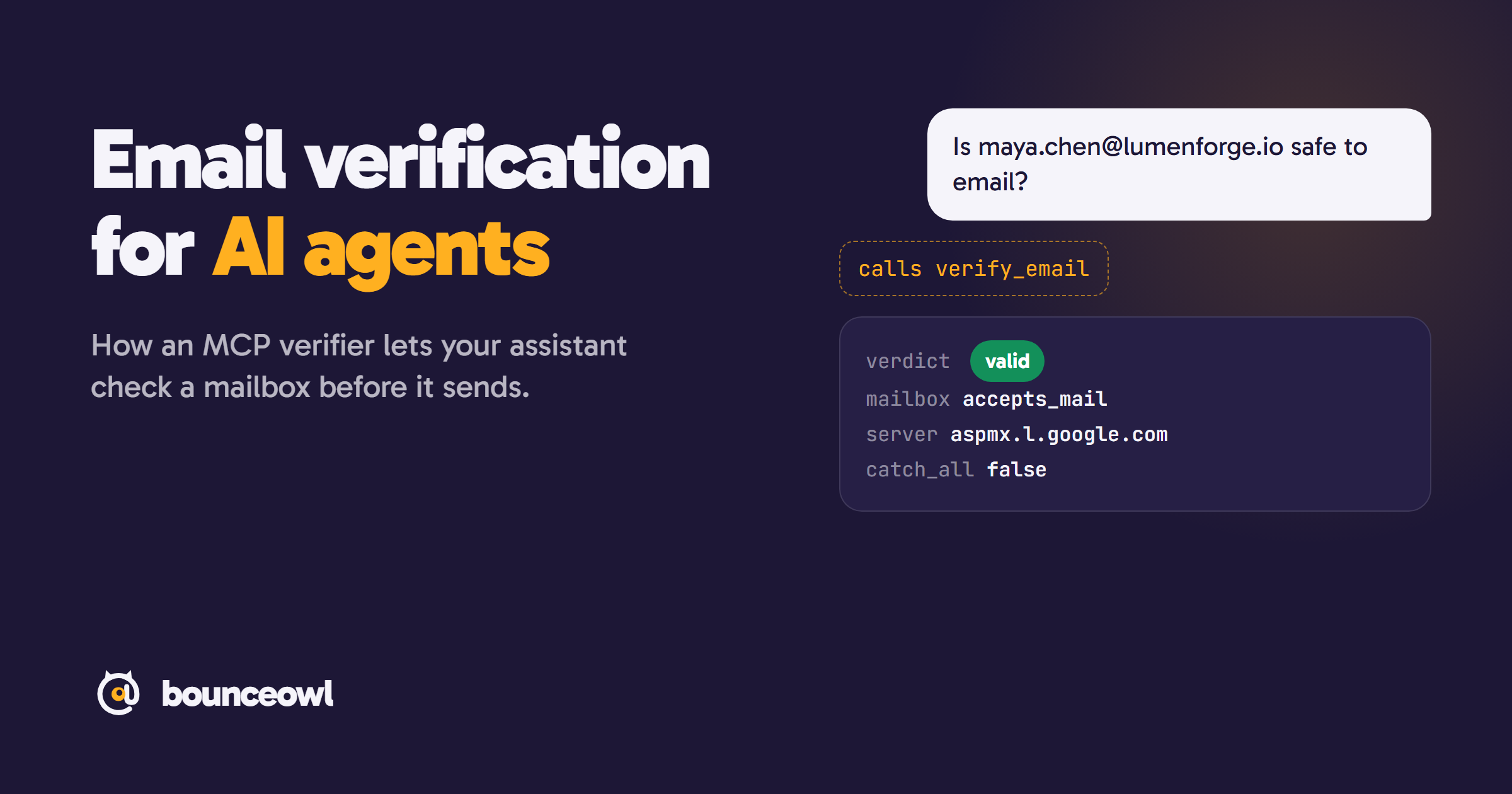
An email verification MCP server lets an AI assistant such as Claude, ChatGPT or Cursor check whether an email address exists. The assistant calls a tool like verify_email, the server asks the recipient's mail server about the mailbox without sending anything, and the assistant gets back a verdict (valid, invalid, catch_all or unknown) with the evidence.
AI agents now write outreach, build lead lists and update CRMs. They are good at finding a name and a company. They are bad at knowing whether an email address exists. A model can guess that Maya Chen at Lumenforge is maya.chen@lumenforge.io and sound sure of it, but nothing inside the model can confirm the mailbox is real. Only the recipient's mail server knows.
An email verification MCP server closes that gap. This guide covers what MCP is, how an agent checks an address through it, what the agent gets back, and how to set one up in a few minutes.
What MCP is
The Model Context Protocol (MCP) is an open standard, introduced by Anthropic in November 2024, for connecting AI assistants to outside tools. A service runs an MCP server that lists its tools: their names, what they do and what input they need. Any assistant that speaks MCP, such as Claude, ChatGPT, Cursor or Codex, can read that list and call a tool when a task needs it.
You connect the server once. After that, the assistant decides when to use it.
Why an agent can't verify an email on its own
Checking an address means talking to the mail server for its domain:
- Look up the domain's MX records to find the server that receives its mail.
- Connect to that server and start a mail conversation.
- Ask whether it will accept mail for this exact address, then end the conversation before anything is sent.
- Ask about an address that can't exist. If the server accepts that too, the domain is catch-all.
A language model can't open a connection to a mail server, and it has no record of which mailboxes exist. Without a tool, an agent that "verifies" an email is guessing from the name pattern. That is how lists fill up with plausible addresses that bounce.
What happens when an agent calls a verifier
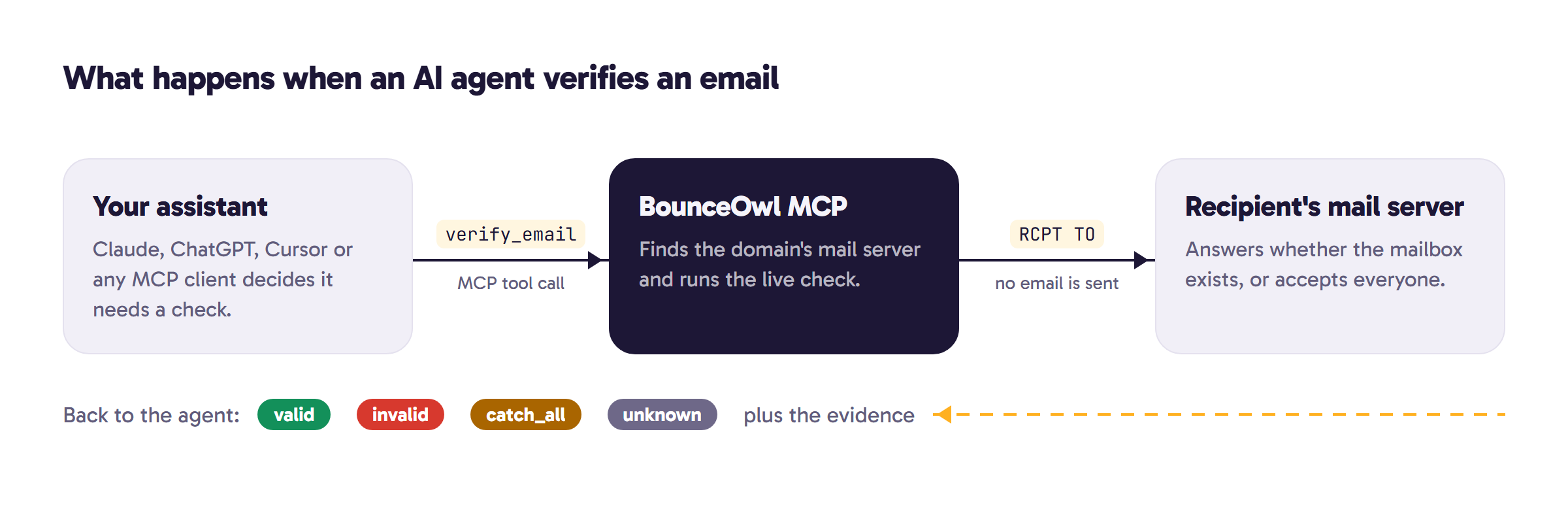
Say you ask your assistant: "Check whether maya.chen@lumenforge.io is safe to email." With a verifier connected, the agent:
- Sees a tool called
verify_emailwhose description matches the task. - Calls it with the address.
- Gets back the result of a live check against the mail server.
- Answers you, or carries on with its task, for example by dropping the address from a sequence.
The agent gets structured data it can act on. A trimmed result from BounceOwl looks like this:
{
  "email": "maya.chen@lumenforge.io",
  "verdict": "valid",
  "reason": "",
  "mailbox": "accepts_mail",
  "mail_server": "aspmx.l.google.com",
  "provider": "google_workspace",
  "catch_all": false,
  "role": false,
  "disposable": false,
  "charged": 1
}
The verdict is always one of four values:
- valid: the mailbox exists and accepts mail.
- invalid: sending would bounce. The reason says why: rejected, disabled, full_inbox, no_mail_server or syntax.
- catch_all: the domain accepts every address, so a regular check can't tell whether this one exists.
- unknown: the mail server gave no clear answer, for example a timeout or a block.
The evidence fields matter more for agents than for people. An agent that can see mail_server and provider can explain its decision ("Google Workspace rejected this mailbox") when it drops a lead.
The tools a verification MCP server should offer
Single checks are not enough for real agent work. BounceOwl's MCP server has seven tools:
verify_email: check one address live.verify_emails: check up to 20 addresses at once.start_list: verify up to 50,000 addresses in the background and get back a list id.list_status: progress and verdict counts for a list.list_results: page through a list's results, filtered by verdict.catchall_check: a deeper check for addresses that came back catch_all.get_credits: the current balance and prices.
Background lists matter because a conversation shouldn't sit waiting on 10,000 live checks. The agent starts the list, carries on, and reads the results when they are ready.
Catch-all addresses need a second step
On a catch-all domain the mail server says yes to everything, so a regular check returns catch_all instead of valid. On B2B lists this can be a large share of addresses.
A good agent workflow treats them as a separate pile: send to them more carefully, or run a deeper check. BounceOwl's catchall_check costs 5 credits per address and refunds them when it can't reach a clear answer. For how these domains work, see What is a catch-all email.
Set it up in a few minutes
1. Get an API key. Create a free account (100 free credits) and make a key on the API page. Use a separate key for each assistant so you can revoke one without touching the others.
2. Add the server. In Claude Code:
claude mcp add --transport http bounceowl https://api.bounceowl.com/mcp \
  --header "Authorization: Bearer $BOUNCEOWL_API_KEY"
In Cursor, add this to ~/.cursor/mcp.json:
{
  "mcpServers": {
    "bounceowl": {
      "url": "https://api.bounceowl.com/mcp",
      "headers": { "Authorization": "Bearer ${env:BOUNCEOWL_API_KEY}" }
    }
  }
}
In ChatGPT, Claude.ai and grok.com, add a custom connector with the URL https://api.bounceowl.com/mcp?key=YOUR_API_KEY and no sign-in. That URL contains your key, so treat it like a password.
Setup for Codex, VS Code, Zed, Cline, Hermes and others is on the MCP setup page.
3. Ask. Prompts that work well:
- "Verify these 12 addresses and tell me which ones would bounce."
- "Clean this list and give me only the valid addresses."
- "Which of these are catch-all? Run the deeper check on those."
- "How many verification credits do I have left?"
Keep the agent on a budget
Agents call tools in loops, so cost control matters:
- A live check with a real answer costs 1 credit. Unknown results, bad syntax and domains with no mail server are free, and so is any address anyone on BounceOwl checked in the last 7 days.
- Credits are prepaid, so an agent can never spend more than your balance. When credits run out, the tool says so in plain words and the agent can tell you.
- A separate key per assistant lets you revoke one connection and leave the rest running.
Which email verifiers have an MCP server
Checked in November 2026:
- BounceOwl: hosted server at
https://api.bounceowl.com/mcp. - Bouncer: official hosted server at
https://api.usebouncer.com/mcp. - ZeroBounce: official server published as an npm package,
@zerobounce/mcp. - MillionVerifier: no official server listed on its site. Third-party wrappers exist.
- Emailable: no MCP server listed. It offers a CLI and an agent skill instead.
There are also small open-source MCP servers that run the mail-server check from your own machine. They are fine for experiments, but many home and cloud networks block the outgoing connection on port 25 that a mailbox check needs, and a single IP that checks many addresses gets throttled quickly.
Prices, credit rules and catch-all handling side by side: BounceOwl comparisons.
The short version
An AI agent can find a name and guess an address, but it can't know whether the mailbox exists. A verification MCP server gives it a live check, a clear verdict and the evidence behind it, as a tool it can call on its own. Connect one before you let an agent near a send button.
Get an API key with 100 free credits, then follow the MCP setup guide.
FAQ
Can ChatGPT verify an email address on its own?
No. A language model can't connect to a mail server. Add a verification MCP server as a custom connector, and ChatGPT can call it to run a live check.
Does the agent send an email when it verifies an address?
No. The verifier talks to the recipient's mail server and stops before any message is sent.
What does verification through MCP cost on BounceOwl?
1 credit per real answer. Unknown results, bad syntax, domains with no mail server and addresses checked by anyone in the last 7 days are free. New accounts get 100 free credits. See pricing.
Which AI assistants can use it?
Any assistant that supports remote MCP servers, including Claude Code, Claude.ai, ChatGPT, Cursor, Codex, VS Code, Zed and Cline. Setup for each is on the MCP page.
Check a list before you send it.
Live checks with evidence. Unknown results are free, and credits never expire.
Start with 100 free creditsKeep reading
Deliverability3 min read
Hard bounce vs soft bounce: what's the difference and what to do
Hard bounce vs soft bounce explained: 5xx vs 4xx SMTP codes, common causes like 550 5.1.1 and greylisting, and when to remove an address.
Deliverability4 min read
550 5.7.515 Access denied: what it means and how to fix it
Fix the Outlook 550 5.7.515 Access denied error: what it means, why Microsoft rejects your domain, and step-by-step SPF, DKIM and DMARC setup.
Guides4 min read
How to check if an email ID is valid (free, without sending an email)
Check if an email ID is valid or real for free, without sending an email. Four methods, what each result means, and tips for Gmail and company emails.